Drill across
Drill Across in Grids and Charts
TaticView's Drill Across functionality allows you to expand the analysis of information presented in grids and charts, relating the selected data to other views available in the Datasource.
In practice, this means that the user can start from a consolidated indicator, an aggregated value, or a specific visual element and navigate to other analytical perspectives linked to the same data context. This navigation makes exploration more dynamic and reduces the need to manually rebuild filters or redo queries to deepen the analysis.
Unlike Drill Down witch is used to analyze a specific point, Drill Across change the entire view (rotate) so you can analyze a completely different point of view of data.
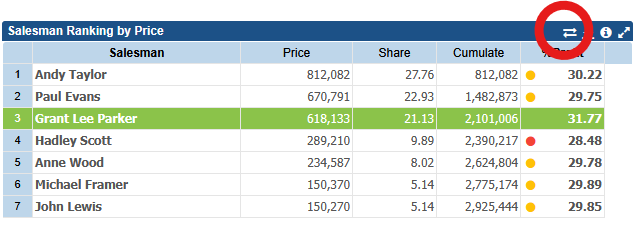
To start a drill across click on the icon on the object title
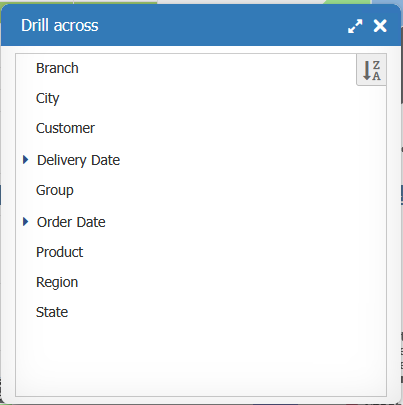
A window opens showing the columns (text dimensions and dates) available for drill across.
You can choose witch columns can be user for drill across on Datasorce properties window.
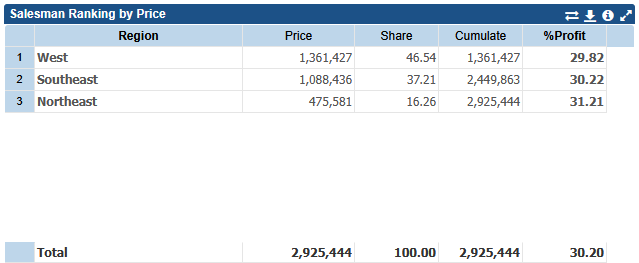
After choosing for example Region
The component swap the Salesman dimesion by Region dimension