Datasource properties
All Datasources properties can be managed here There are two mains sections
General settings
Configure Datasources general attributes like name and description
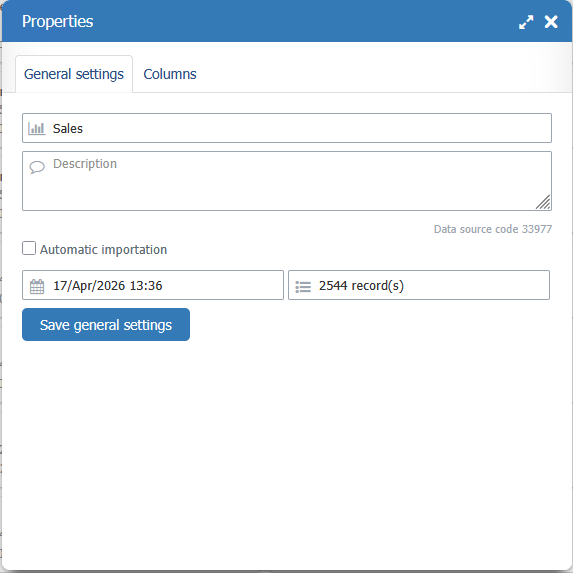
Automatic importation
You cant enable/disable automatic data update on this Datasource using TVCli, so automation process can be created to mantain your data up dated.
To use automatic data update, you need Automatic Update feature enabled on your Subscription
On Automatic importation enabled, a link "Help to generate the automation commands?" is showed to help you on TVCli configuration
Columns
Section show all Datasource columns, and allows you to
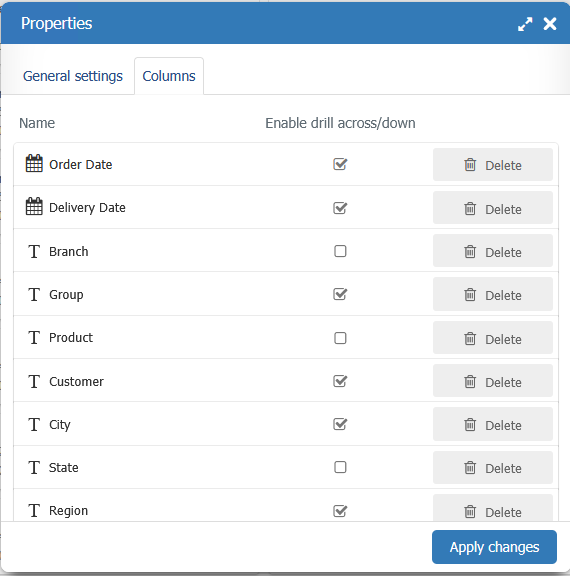
Delete a column
You can remove definitively a column from the datasource.
Waning
This removes the column and all data stores in this column. Once removed you can't recover the removed you can't recover this data you have to adapt you importations file removing the column from that file too. TaticView don't make any cross reference to verify if this column is used on a dashboard, so, you are using the removed column in dashboards, you neeed to edit them em remove the column from there. Otherwise some errors can occur which running a dashboard witch use a removed column.
Enable/Disable drill across/down
This option allows you to decide if the column should be available to do Drill Across/Down