Difference between revisions of "Delete Dashboards/en"
(Importing a new version from external source) |
(Importing a new version from external source) |
||
| Line 11: | Line 11: | ||
| − | + | Paragraph 3... | |
Then, a confirmation message will be displayed. By clicking ''Yes'' on the message, TaticView will remove the selected Dashboard (s) and return to the main page. | Then, a confirmation message will be displayed. By clicking ''Yes'' on the message, TaticView will remove the selected Dashboard (s) and return to the main page. | ||
Revision as of 17:43, 21 September 2017
Paragraph 1...
Clicking on this option will display the following screen, containing the list with its Dashboards:
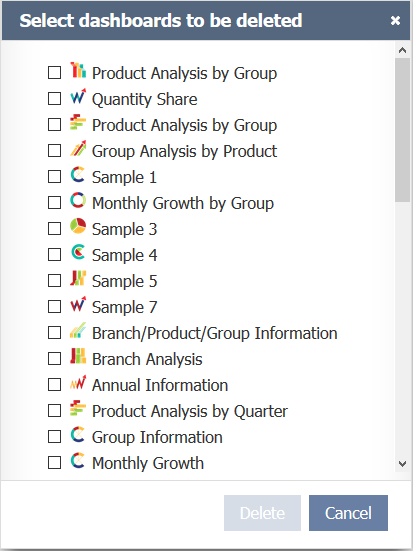
Paragraph 3...
Then, a confirmation message will be displayed. By clicking Yes on the message, TaticView will remove the selected Dashboard (s) and return to the main page.
To delete Data Sources, see Delete a Data Source.
